
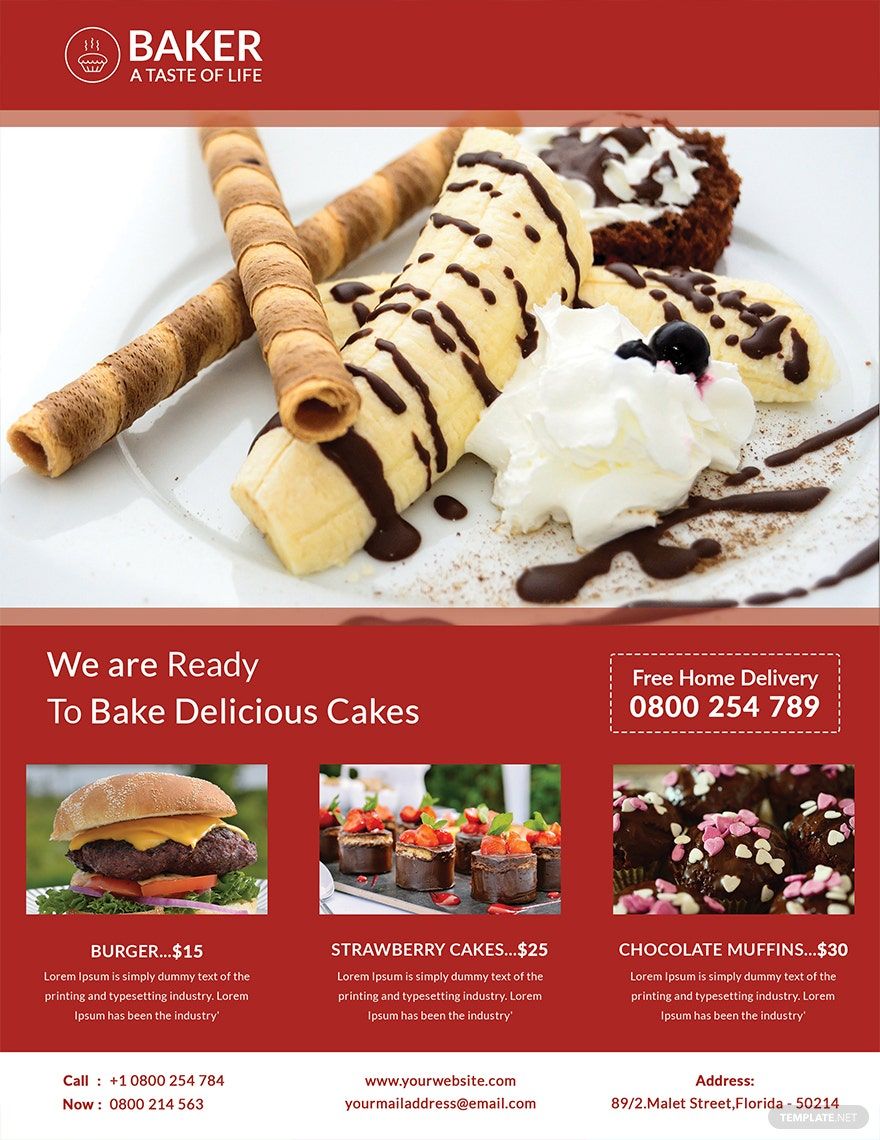
Get the best exposure and marketing for your bakery by using any of our expertly designed bakery flyers from these Ready-Made Bakery Templates in MS Word. You can surely create a fancy and enticing flyer design that is also functional at the same time. Each template contains a relevant advertising copy as well as images, designs, and graphics that are related to promoting a bakery business. Among the templates you can get from our selection are Modern Bake Sale Flyer, Bake Sale Flyer, and a lot more. We can guarantee you that our selection of Ready-Made Bakery Templates is a deal you wouldn't want to miss out on. Download any of these for free today!
Free Bakery Flyer Template in Word
Download Free Bakery Flyer Samples from Template.net for Advertising a Dessert Cafe, Bakeshop Grand Opening, Holiday Sweets, and Other Similar Content. Use Our Templates to Prepare New Bakery Promotions That Are Creative, Cute, Simple, or Other Design Ideas. Choose from Different Applications to Edit Our Blank Flyers, Such As Adobe Illustrator and Microsoft Word.

- Business Plan
- Menu
- Notes
- Birthday Invitation
- Wedding Invitation
- Magazine
- Internship Certificate
- Catalogs
- Calendar
- Restaurant Receipts
- Forms
- Checklist
- Project
- Posters
- Cover Page
- Programs
- Planner
- Journal
- List
- Layout
- Colorful Word
- Professional MS Word
- Two Page Resume
- Training Certificates
- Letters
- Place Cards
- Tickets
- Itinerary
- Note Taking
- Timelines
- Timetable
- Ebooks
- Editable Book Covers
- Resignation Letters
- Vouchers
- Receipts
- Travel Invoice
- Tri Fold Brochure
- Greeting Cards
- Prescription
- Retirement Invitation
- Cookbook
- Delivery Note
- Flyers
- Job Flyer
- Graduation Invitation
- Coupons
- Labels
- CV
- Borders
- Background
- Document
- Exam
- Memo
- Infographics
- White Paper
- Customer Persona
- Envelopes
- Surveys
- Thank you Cards
- Save the Date Invitations
- Photo Collage
- Charts
- Training Manual
- Presentations
- Invitation Cards
- Postcards
- Diploma Certificates
- Schedule
- Participation Certificate
- Medical Resume
- Recommendation Letter
- Report Cards
- Quiz
- Recruiting Hiring
- Funeral Card
- Photo Resume
- Roadmaps
- Training Proposal
- Civil Engineer Resume
- Construction Quotation
- Baptism Invitations
- Sign in Sheet
- School Id Card
- Attendance Sheet
- Farewell Invitation
- Polaroid
- Sports Certificate
- Achievement Certificate
- School Schedule
- Basic Certificate
- Signs
- Food Vouchers
- Graphic Templates
- Leave Letters
- Funeral Invitation
- Professor Resume
- Daily Reports
- Annual Maintenance Contract
- Wishes
- Books
- Cover MS Word
- Downloadable
- Design
- Beautiful
- Creative
- Student
- Application
- Small Business
How to Make a Bakery Flyer in Microsoft Word
Baked goodies have always been close to the hearts of every individual. Why? Because their sweet and tasty flavor brings joy for our sweet tooth. And as you can see, cakes, cupcakes, and other delicious treats are always present in every occasion. If you are a baker who wants to promote his/her bakeshop or you're involved in the marketing of a pastry business, then having a bakery flyer in your company improves your reach to the crowd and helps increase your image and most especially your revenues. In this article, we will provide you a step-by-step guide on how to create a flyer using MS Word that is perfect for your business. And wait! There's more than that! We also display our enticing and tasty-looking baking flyer templates that you can download for free! Check this out!
1. Make Use of Microsoft Word
Microsoft Word (.docx) or commonly known as Word is probably the world's most accessible software. For the reason that MS Word is built-in every PC plus you can also download it using your mobile device. Aside from that, this app also has easy tools and features that you can use without giving you any headache. We bet you are interested in this app already, right? Why don't you download one and give it a try! For sure, you will definitely love the result.
2. Identify the Purpose
Ask yourself, why are you creating this flyer in the first place. Is it a promotional flyer for the grand opening of your new pastry company? A Christmas sale flyer? A bakery invitation flyer? Or is it an advertising campaign for your tasty desserts such as your cute cakes and cupcakes? Consider asking yourself these questions so that you will know what and how you will write the content and the design for your flyer.
3. Determine the Flyer's Content
Once you already identified the purpose, it's time for you to determine the content that you will state in your marketing flyer. The important details that must be stated are the product menu and their corresponding bakery's price list. You may add other significant details that you like as long as those two mentioned must be seen immediately in your food flyer so that your customers will know what to avail.
4. Add High-Quality Images
Apart from the content, don't forget to add images in your professional flyer of all the pastry products you are offering. Make sure that your images are inviting enough to the eyes of your customer so that as soon as they look at the tasty-looking image, they will be tempted to buy your product.
5. Design or Download a Template Online
If you want to save more time, then you may download our downloadable and printable flyer templates that were shown above here on our site. There is nothing for you to worry about since all of our templates are free. Just click one and make sure you edit and customize it with your preferred content using MS Word. On the other note, ensure that the baking background you use can fit perfectly to its purpose.
6. Finalize then Print
Once your simple flyer has been finalized, proceed to print them out. Distribute the flyer to as many individuals as possible. In addition, you can also post and share it on social media sites to gain a larger audience.
