Template.net logo
Pricing
  • Home
  • Templates
  • Accounting Firm/ Department Organizational Chart in Word

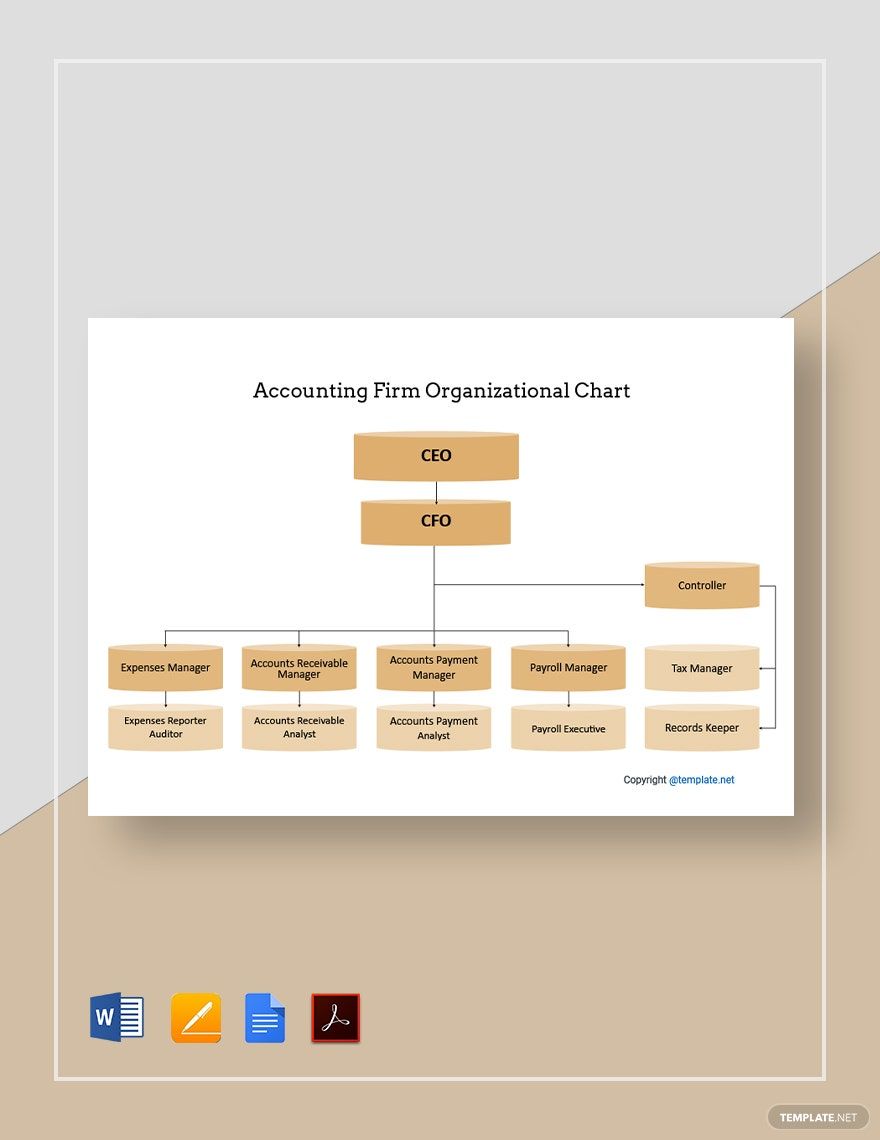
Free Accounting Firm/ Department Organizational Chart Template in Word

"Searching for an Effective Org Chart Solely for Your Accounting Department? Template.net's Free Accounting Firm Organizational Chart Templates in Word Exists to Help You Create Organograms Which Are Useful for Any Legal Entity. Whether It's For Financial Ownership, Accounts Payable, or Tax Management, We Have the Right Template Formats for Easy Structural Division. Download Now! "

  • My Projects
  • Word
  • Letterhead
  • Quotation
  • Certificates
  • Page Border
  • Reports
  • ID Card
  • Brochure
  • Invitation
  • Printable
  • Resume
  • Business
  • Portfolio
  • Project Report
  • Proposal
  • Invoices
  • Aesthetic
  • Offer Letters
  • Application Letters
  • Business Cards
License
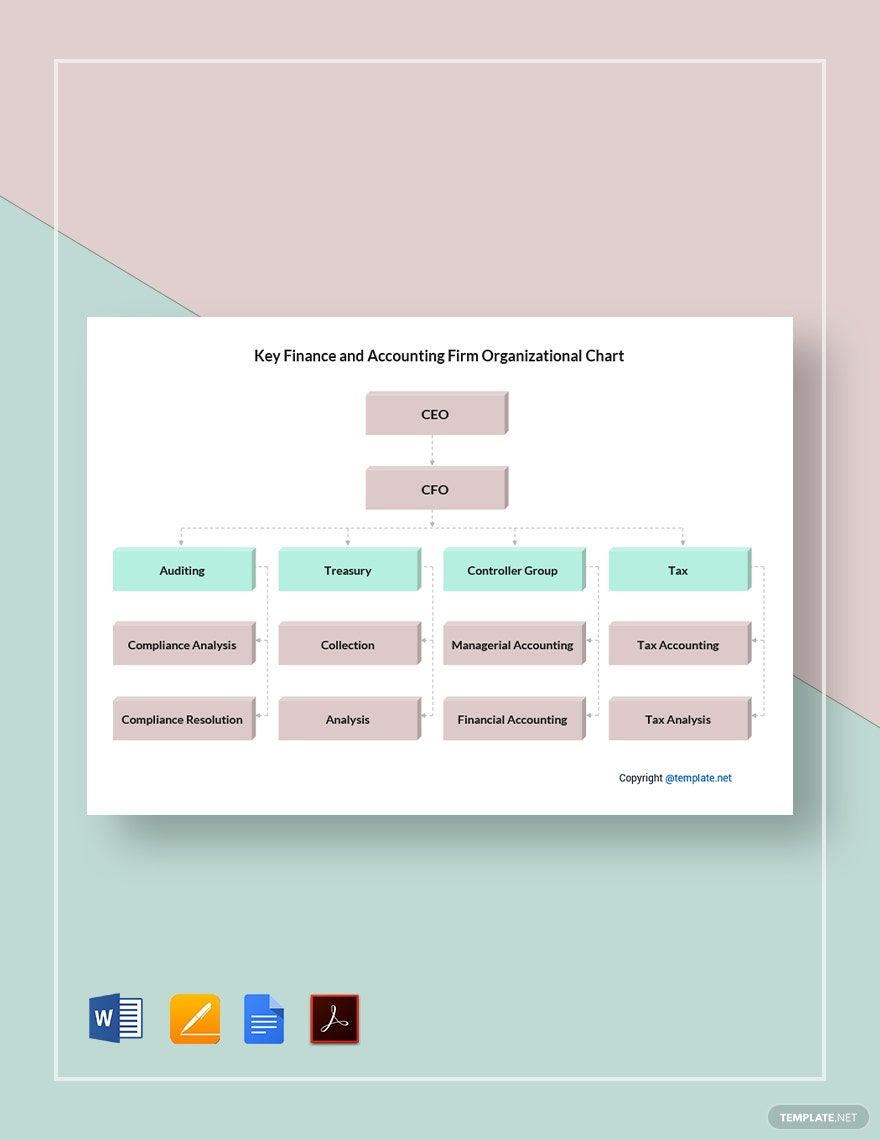
Key Finance and Accounting Firm Organizational Chart Template in Word, PDF, Pages, Google Docs - Download | Template.net

Key Finance and Accounting Firm Organizational Chart Template

Accounts Payable Organizational Chart Template in Google Docs, PDF, Pages, Word - Download | Template.net

Accounts Payable Organizational Chart Template

Army Department Organizational Chart Template in Google Docs, Word, Pages, PDF - Download | Template.net

Army Department Organizational Chart Template

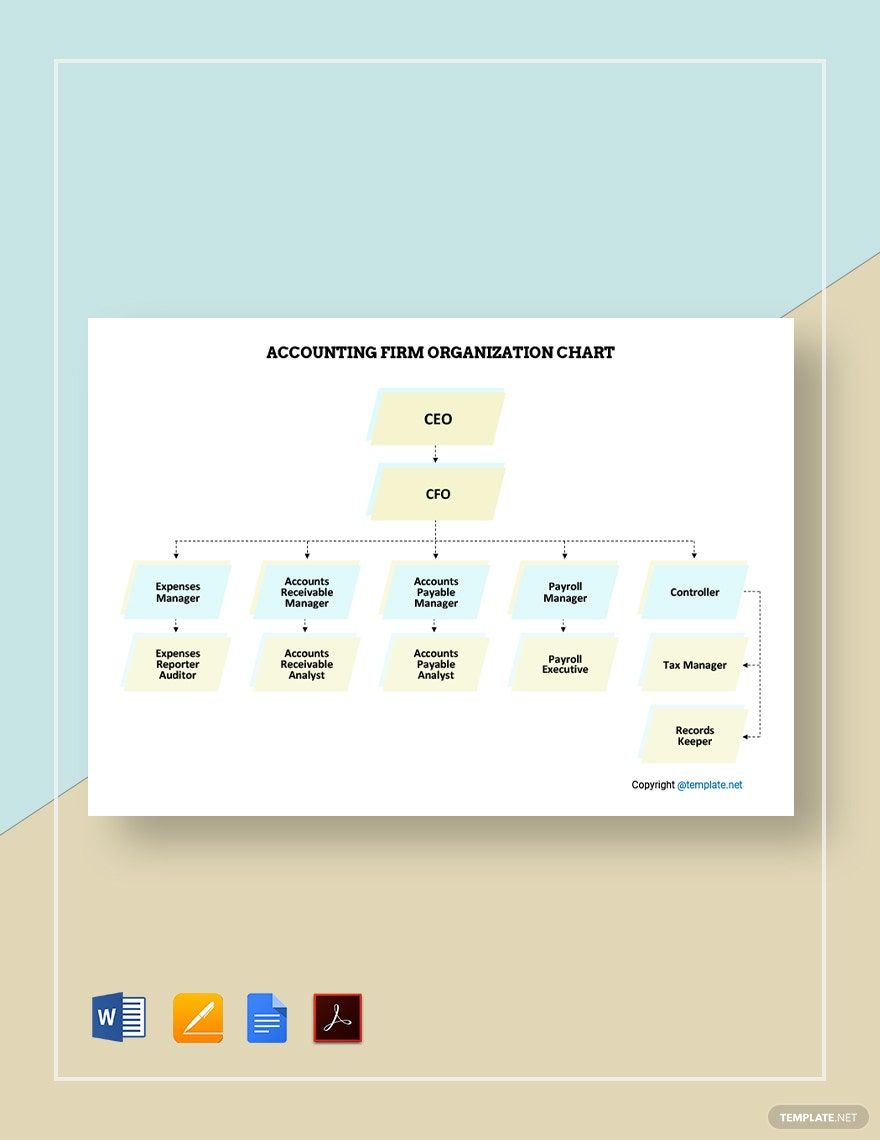
Accounting Firm Organizational Chart Template in Word, Pages, PDF, Google Docs - Download | Template.net

Accounting Firm Organizational Chart Template

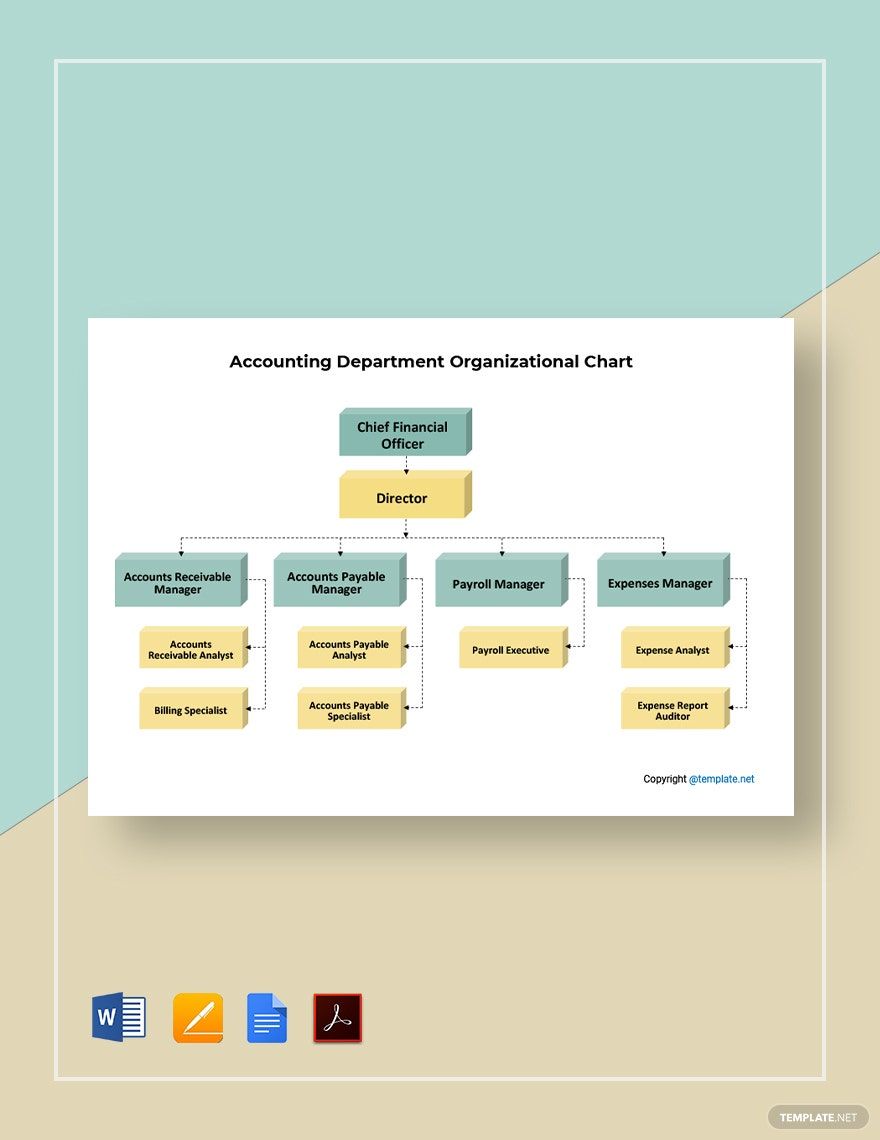
Accounting Department Organizational Chart Template in Word, Pages, PDF, Google Docs - Download | Template.net

Accounting Department Organizational Chart Template

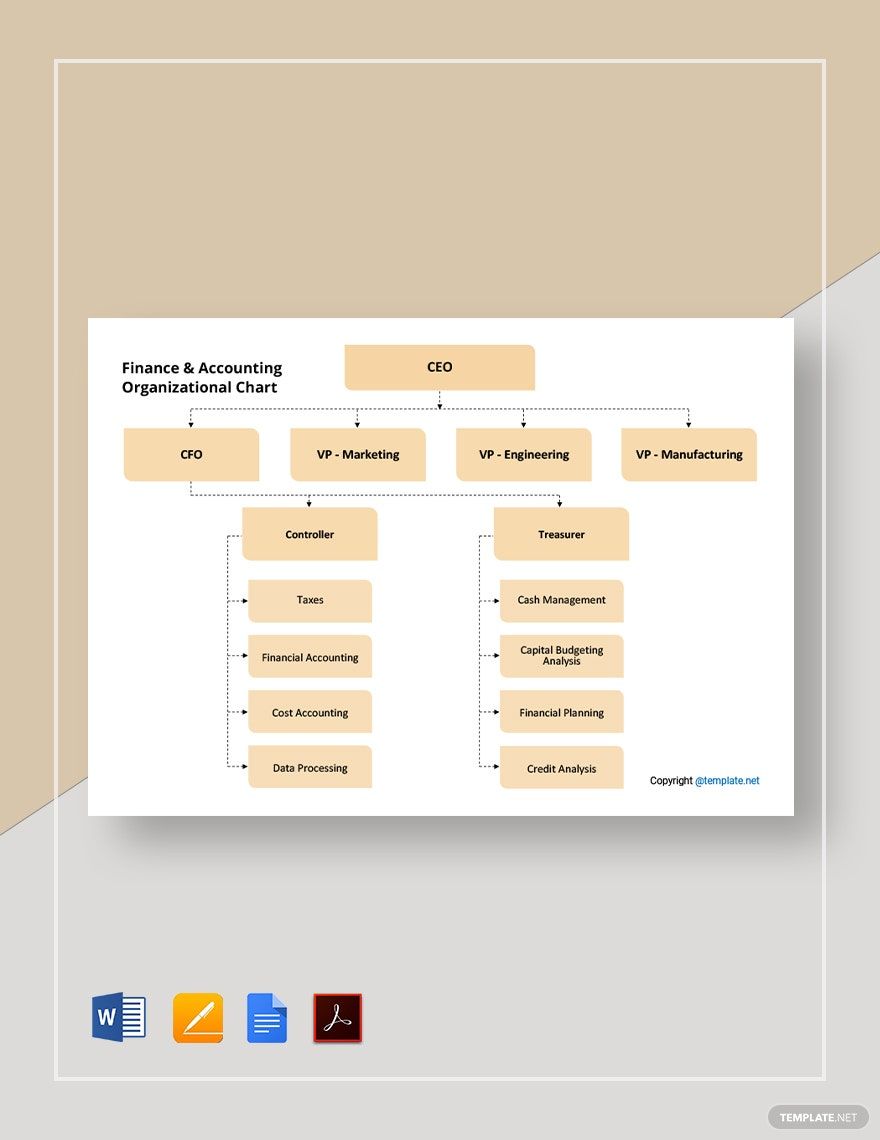
Finance and Accounting Organizational Chart Template in Word, Pages, PDF, Google Docs - Download | Template.net

Finance and Accounting Organizational Chart Template

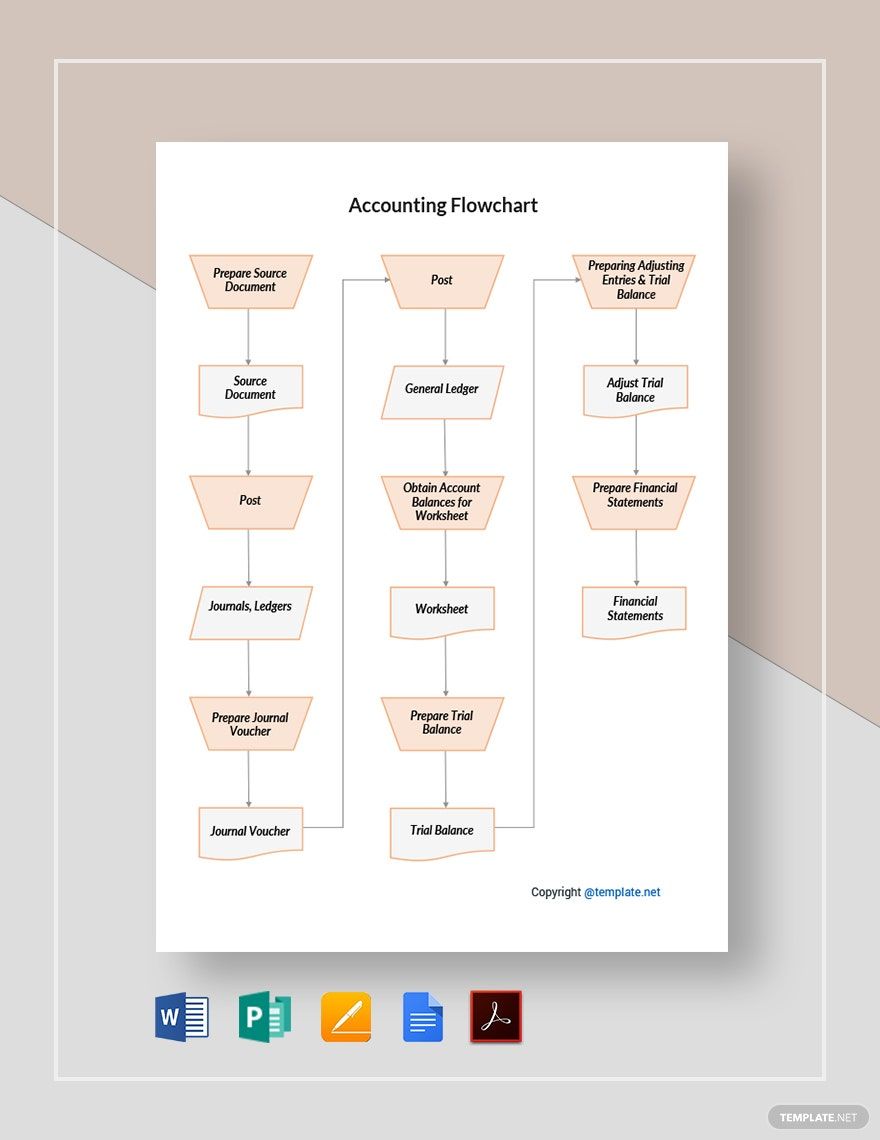
Sample Accounting Flowchart Template in Word, Publisher, PDF, Pages, Google Docs - Download | Template.net

Sample Accounting Flowchart Template

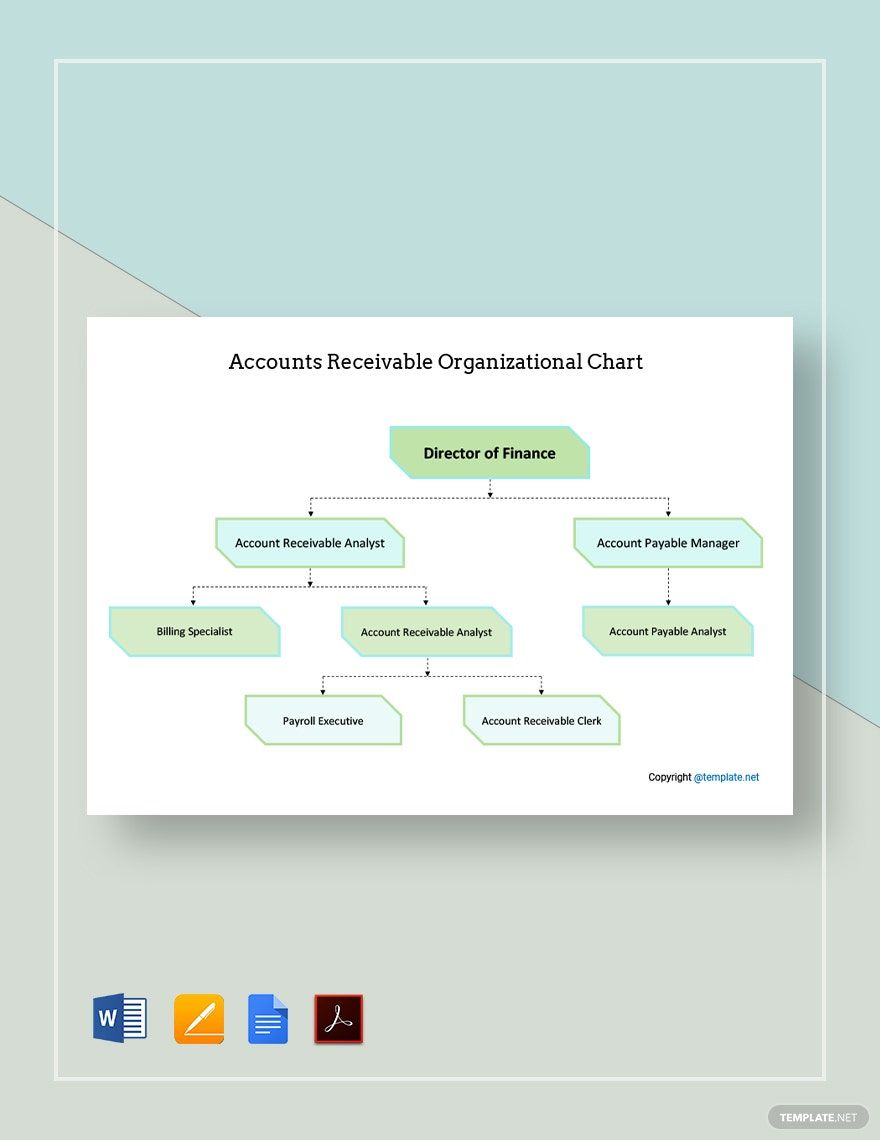
Accounts Receivable Organizational Chart Template in Google Docs, Word, PDF, Pages - Download | Template.net

Accounts Receivable Organizational Chart Template

Accounting Firm/Department Organizational Chart Template in PDF, Pages, Word, Google Docs - Download | Template.net

Accounting Firm/Department Organizational Chart Template

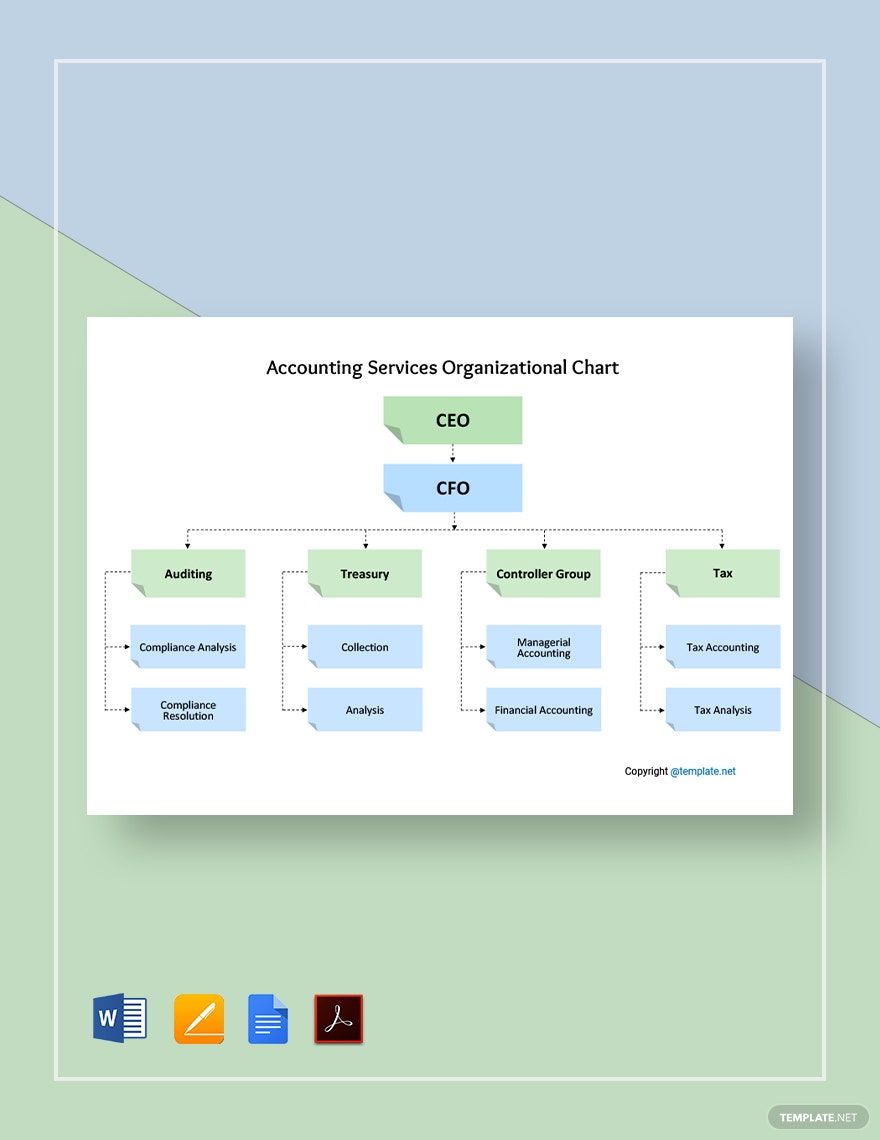
Accounting Services Organizational Chart Template in Pages, Word, PDF, Google Docs - Download | Template.net

Accounting Services Organizational Chart Template

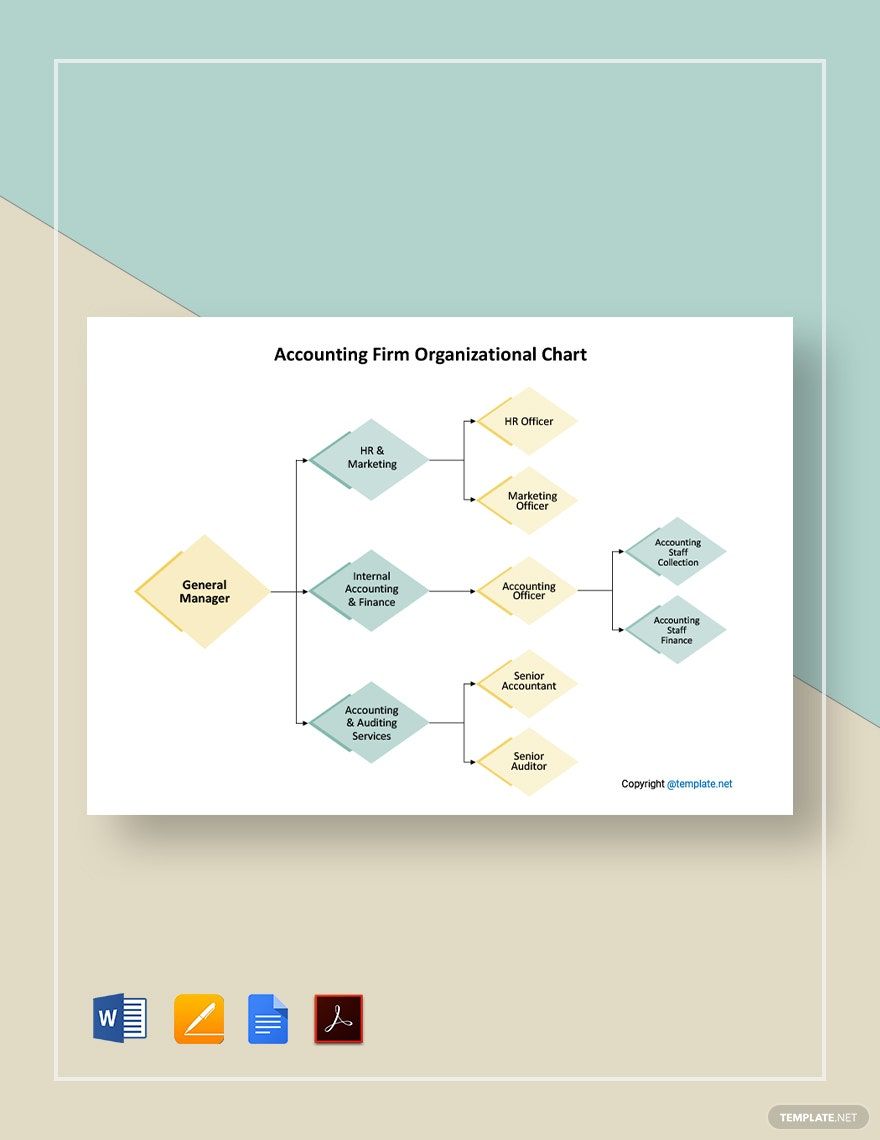
Sample Accounting Firm Organizational Chart Template in Word, PDF, Pages, Google Docs - Download | Template.net

Sample Accounting Firm Organizational Chart Template

  • Business Plan
  • Menu
  • Notes
  • Birthday Invitation
  • Wedding Invitation
  • Magazine
  • Internship Certificate
  • Catalogs
  • Calendar
  • Restaurant Receipts
  • Forms
  • Checklist
  • Project
  • Posters
  • Cover Page
  • Programs
  • Planner
  • Journal
  • List
  • Layout
  • Colorful Word
  • Professional MS Word
  • Two Page Resume
  • Training Certificates
  • Letters
  • Place Cards
  • Tickets
  • Itinerary
  • Note Taking
  • Timelines
  • Timetable
  • Ebooks
  • Editable Book Covers
  • Resignation Letters
  • Vouchers
  • Receipts
  • Travel Invoice
  • Tri Fold Brochure
  • Greeting Cards
  • Prescription
  • Retirement Invitation
  • Cookbook
  • Delivery Note
  • Flyers
  • Job Flyer
  • Graduation Invitation
  • Coupons
  • Labels
  • CV
  • Borders
  • Background
  • Document
  • Exam
  • Memo
  • Infographics
  • White Paper
  • Customer Persona
  • Envelopes
  • Surveys
  • Thank you Cards
  • Save the Date Invitations
  • Photo Collage
  • Charts
  • Training Manual
  • Presentations
  • Invitation Cards
  • Postcards
  • Diploma Certificates
  • Schedule
  • Participation Certificate
  • Medical Resume
  • Recommendation Letter
  • Report Cards
  • Quiz
  • Recruiting Hiring
  • Funeral Card
  • Photo Resume
  • Roadmaps
  • Training Proposal
  • Civil Engineer Resume
  • Construction Quotation
  • Baptism Invitations
  • Sign in Sheet
  • School Id Card
  • Attendance Sheet
  • Farewell Invitation
  • Polaroid
  • Sports Certificate
  • Achievement Certificate
  • School Schedule
  • Basic Certificate
  • Signs
  • Food Vouchers
  • Graphic Templates
  • Leave Letters
  • Funeral Invitation
  • Professor Resume
  • Daily Reports
  • Annual Maintenance Contract
  • Wishes
  • Books
  • Cover MS Word
  • Downloadable
  • Design
  • Beautiful
  • Creative
  • Student
  • Application
  • Small Business

Every business requires functional departments to ensure that every process is done smoothly and effectively. In today's economic market, any mishap that might happen inside the business may lead to customer dissatisfaction and losing profits. Such challenges are inevitable. But with proper communication and dissemination of tasks, these can be overcome. If you want to reorganize the accounting department of your business, then we have ready-made templates that you can use. Take a look at our high-quality Accounting Firm/Department Organizational Chart Templates in MS Word. All of them are professionally developed to help you create an effective and detailed organizational chart in a heartbeat. You can now transform this tedious task into a more convenient one. Download our templates today!

How to Make an Accounting Firm/Department Organizational Chart in MS Word

Accounting is just one of the many departments or functions of a business organization. And all of them should work together cohesively towards achieving the company's goals and mission. According to the US Bureau of Labor Statistics, 50% only of business organizations are able to surpass their fifth year. One of the main reasons is the lack of steady cash flow. And to help business organizations stay profitable, each of its departments should also function well. 

By now, you are probably thinking ways on how you can improve the processes in the accounting department. So, integrate some restructure in its chains of command. Help your business stay profitable by creating an efficient organizational chart diagram in the MS Word program.

1. Identify Positions Involved

Every department has different positions. And each of those positions holds different responsibilities that are crucial for the growth of the company, regardless if it is a small business or a big one. To help you come up with an organizational chart, familiarize yourself with the positions involved in the accounting department. List them down, starting from the highest position up to the lowest one. Don't also forget to include the name of the employees holding those positions.

2. Group Them Accordingly

Accounting management can be quite confusing if it is filled up with too many job positions. The best solution that you can do for this is to create a list of groupings. Sort them out correctly according to where they belong. For instance, if you are creating an organizational chart for the finance department, then positions like management accountant and financial accountant should be placed in one grouping because both positions are commonly the sub-heads of the financial department.

3. Draft The Charts Look

Next, start creating the visual structure of the organizational chart. Open a new document in MS Word and start drafting tables. Creating it is just like creating flowcharts; it can be quite tedious. If you want it less hassle and more convenient, it is not a secret at all that ready-made templates can do that for you. Browse from our website's collection of high-quality Accounting Firm/Department Organizational Chart Templates. Download it on the MS Word program and start modifying it according to your preferences.

4. Sequence Each Role Properly

When it comes to organizational charts, having a visual structure is not just enough; it also has to be reasonable. Achieve it by sequencing each role logically. Work on how to make it useful and functional for the business organization. For instance, if you are creating a financial organizational chart for a manufacturing company, then make sure that you correctly assign the key roles of the employees involved. Place the highest positions on the topmost part, followed by the in-between key roles, and lastly, the lower job roles.
 

AI Editors
  • AI Generators
  • Document Editor
  • Design Editor
  • Writing Assistant
  • Slide Maker
  • Whiteboard
  • Form Builder
  • Photo Editor
  • Social Editor
  • Graph Maker
Free AI
  • AI Logo Maker
  • AI Image Generator
  • AI Design Generator
  • AI Social Media Post Generator
  • AI Banner Maker
  • AI Document Generator
  • AI Writer
  • AI Form Generator
  • AI Presentation Generator
  • AI Whiteboard
  • AI Diagram
  • AI Photo Editor
  • AI Graph Maker
Free Tools
  • Qr Code Generator
  • AI Meme Generator
  • AI Headshot Generator
  • AI Color Wheel
  • AI Color Palette
  • Signature Generator
  • AI Avatar Maker
  • AI Background Remover
  • AI Paraphrasing Tool
  • AI Summarizer
  • AI Plagiarism Checker
  • AI Grammar Checker
  • AI Business Name Generator
Business Categories
  • Marketing
  • Sales
  • Advertising
  • HR
  • Finance
  • Construction
  • IT
  • Non Profit
  • Education
Applications
  • Word
  • Excel
  • PPT
  • Publisher
  • Outlook
  • Google Docs
  • Google Sheets
  • Google Slides
  • PDF
  • Apple Pages
  • Apple Numbers
  • Apple Keynote
  • PSD
  • Illustrator
  • Indesign
  • Free Templates
  • Popular
Company
  • About Us
  • Community
  • Pricing
  • Contact Us
  • Privacy Policy
  • Terms of Service
  • Refund Policy
  • Disclaimer
  • Careers
  • Blog
  • FAQ

Template.net © 2014 - 2026. All rights reserved

Instant Download

Get Instant Access to 80,000+ MS Word Templates

Limited Time Offer
  • Access to 1 Million+ Templates & Tools
  • 500,000+ Microsoft 365 Templates including Excel, Powerpoint, Publisher, Outlook & PDF
  • Unlimited access to Design & Documents AI editors
  • Professionally Made Content and Beautifully Designed
  • Instant Download & 100% Customizable
  • Home
  • Document
  • Design
  • Presentation
  • Image
  • Video
  • Templates
  • Brand
  • Projects
  • Whiteboard
  • Social
  • Chart
  • Form
  • PDF
  • AI Chat
  • Schedule

Templates

  • All
  • Word
  • Excel
  • Powerpoint
  • Google Docs
  • Google Sheets
  • Google Slides
  • PDF
  • PSD
  • Illustrator
  • Apple Pages
  • Apple Numbers
  • Apple Keynote
  • Publisher
  • InDesign
  • Logo
  • Sign in Sheet
  • Worksheet
  • Budget
  • Resume
  • Cover Letter
  • Invoice
  • Presentation
  • Recommendation Letter
  • Business Plan
  • Family Tree
  • Calendar
  • Letter
  • Business Card
  • Poster
  • Label
  • Lesson Plan
  • CV
  • Banner
  • Meme
  • Resignation Letter
  • Bill of Sale
  • Gift Certificate
  • Swot analysis
  • Press release
  • Roblex Tshirt
  • Timeline
  • Obituary
  • Youtube Banner
  • Receipt
  • Birth Plan
  • Instagram Post
  • Infographic
  • Lease Agreement
  • Itinerary
  • One Pager
  • Storyboard
  • Newspaper
  • Vision Board
  • Venn Diagram
  • To Do List
  • Menu
  • Flyer
  • Grocery List
  • Gantt Chart
  • Checklist
  • Proposal
  • Profit and Loss
  • Planner
  • Schedule
  • Meeting Minutes
  • Cornell Notes
  • Agenda
  • Tier List
  • Job Applications
  • ATS Resume
  • Smart Goals
  • Email Signature
  • Purchase Order
  • Comic Strip
  • Sop
  • Project Plan
  • Fax
  • Graphic Organizer
  • Executive Summary
  • Faq
  • Table of Content
  • Job Description
  • Timesheet
  • Brochure
  • Memo
  • Envelope
  • Ticket
  • T-shirt
  • Concept Map
  • Social Media Calendar
  • Coupon
  • Birthday
  • Org Chart
  • Flow Chart
  • Recipe
  • Magazine
  • Workbook
  • Catalog
  • Roadmap
  • Note
  • Report
  • Journal
  • ID
  • E Book
  • Invitation
  • Meal Planning
  • Company Profile
  • Quotation
  • Estimate
  • Persona
  • Funeral
  • Fishbone
  • Pitch deck
  • Postcard
  • APA Format
  • Order Form
  • Drawing
  • Clipart
  • Coloring
  • Chart
  • Background
  • Wallpaper
  • Letterhead
  • Mindmap
  • Cover Page
  • Sign in
  • Upgrade

    Templates