
Template.net logo
AI
Editors
  • Writer
  • Design
  • Document
  • Form
  • Whiteboard
  • Photo
  • Presentation
  • Chart & Graph
Marketing
  • Logo
  • Flyer
  • Business Card
  • Mockup
  • Banner
  • Meme
  • Social Media
  • Wallpaper
  • LinkedIn Banner
  • YouTube Thumbnail
  • Background
  • Infographic
  • Insta Story
  • WhatsApp Status
  • Youtube Channel Art
Print
  • Menu
  • Card
  • Brochure
  • Sticker
  • Calendar
  • Label
  • Tshirt
  • Certificate
  • Poster
  • Business Card
  • Ticket
  • Timeline
  • Schedule
  • Newspaper
  • Cover Page
Document
  • Resume
  • Invoice
  • Business Plan
  • Report
  • Agreements
  • Itinerary
  • Proposal
  • Letter
  • Statements
  • Analysis
  • Citation
  • Story
  • Cover Letter
  • Budget
  • Checklist
Tools
  • Remove Background
  • Photo
  • Collage
  • Signature
  • QR Code
  • Barcode
  • Headshot
  • Coloring Page
  • Lesson Plan
More
  • Family Tree
  • Vision Board
  • Diagram
  • Flowchart
  • Quiz
  • Invitation
  • Quote
All AI GeneratorsStart Chat
Templates
Business
  • Marketing
  • Sales
  • HR
  • Advertising
  • Health and Safety
  • Finance
  • Accounting
  • Legal
  • Administration
  • Operations
  • Brand
  • Startup
  • Construction
  • Education
Categories
  • Design
  • Docs
  • Form
  • Whiteboard
  • Social Media
  • Presentation
  • Resume
  • Diagram
  • Trending
  • Banner
  • Invitation
  • Graphic
  • Infographic
  • Chart
Marketing
  • Flyer
  • Letterhead
  • Menu
  • Background
  • Clipart
  • Drawing
  • Calendar
  • Card
  • Logo
  • Timeline
  • Schedule
  • Poster
  • Brochure
  • Wallpaper
Document
  • Resume
  • Invoice
  • Business Plan
  • Report
  • Agreement
  • Itinerary
  • Proposal
  • Letter
  • Statement
  • Analysis
  • Family Tree
  • Cover Letter
  • Budget
  • Checklist
Download
  • Microsoft Word
  • Microsoft Excel
  • Microsoft PowerPoint
  • Microsoft Publisher
  • Google Docs
  • Google Sheets
  • Google Slides
  • PDF
  • PSD
  • Illustrator
  • InDesign
  • Apple Pages
  • Apple Numbers
  • Apple Keynote
All Templates
Pricing
  • Home
  • Templates
  • IT and Software Letterhead in InDesign

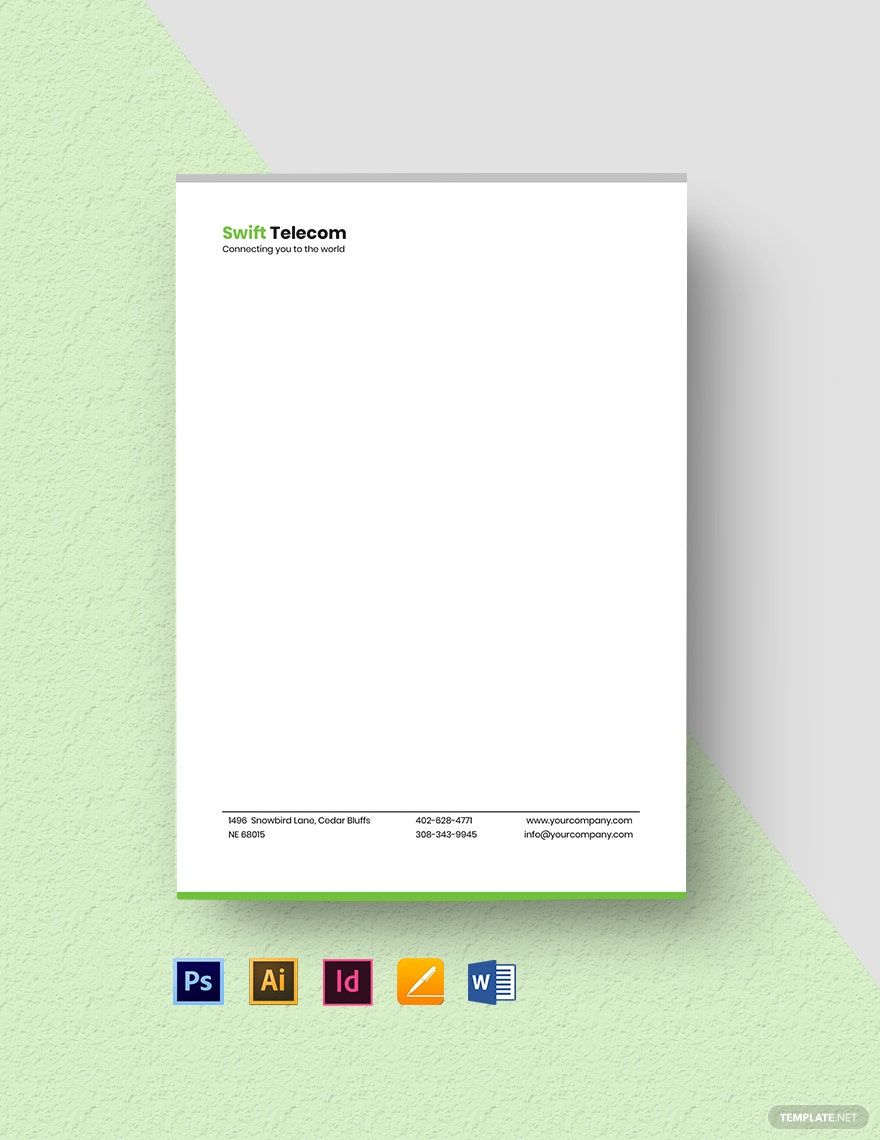
IT and Software Letterhead Template in InDesign

Free Templates Are Found On Template.Net That Are Super Easy To Edit Even If You Don't Have Any Adobe Indesign Experience, Downloaded In A Microsoft Word Document Or Excel, And Printed To Make A Hard Copy. The Templates Can Range From Company Letter Head, Professional Letterhead, Software Development Announcement Flyer, And More!

  • Indesign
  • Magazines
  • Brochures
  • Catalogs
  • Portfolio templates
  • Resumes
  • Tri fold brochures
  • Flyers
  • Posters
  • Planners
  • Menu
  • Company profile brochure
  • Invoices
  • Business cards
  • Postcards
  • Bi fold brochures
  • Book covers
  • Cookbook
  • Calendars
  • Notebook journals
License
Pro template icon representing

Computer Software Company Letterhead Template

Computer Software Company Letterhead Template in Word, Pages, PSD, Illustrator, PDF, InDesign, Google Docs - Download | Template.net
Pro template icon representing

Simple IT Letterhead Template

Simple IT Letterhead Template in Illustrator, Word, Photoshop, Pages, InDesign, Google Docs, PDF - Download | Template.net
Pro template icon representing

Blank IT Letterhead Template

Blank IT Letterhead Template in InDesign, Pages, Illustrator, Word, Photoshop, Google Docs - Download | Template.net
Pro template icon representing

Professional IT Letterhead Template

Professional IT Letterhead Template in Pages, Photoshop, InDesign, Illustrator, Word, PDF - Download | Template.net
Pro template icon representing

Internet Service Provider Letterhead Template

Internet Service Provider Letterhead Template in InDesign, Word, Illustrator, Pages, PSD, PDF, Google Docs - Download | Template.net
  • Greeting cards
  • Certificates
  • Travel magazine
  • Letterheads
  • Photo
  • Student
  • Wedding Invitations
  • Invitations
  • Zines
  • Banner roll up
  • Envelopes
  • Tickets
  • Charts
  • Funeral Brochures
  • Programs
  • Proposals
  • Banner
  • Tickets raffle
  • Feedback
  • Logos
  • Family genogram
  • Labels
  • Vouchers
  • Architecture
  • Real estate Flyers
  • Event
  • Training
  • Gift certificates
  • Event Flyers
  • Id card
  • Sheet
  • Fashion lookbook
  • Editable id cards
  • Interior design
  • School magazine
  • Business
  • Designer
  • Report brochure

Establish your brand and professionalize your letters with our selection of IT/Software Letterhead Templates in InDesign! These fully customizable templates offer you the opportunity to design a unique letterhead for your business. Each letterhead template comes with high-quality features that help streamline the design process for you to save time and focus your efforts on other priorities. That way, you can achieve great-looking letterheads with no design experience needed! Sounds like a good deal, right? Don't let this pass you by. Subscribe to our premium plan today to get started with your IT/Software letterhead design!

How to Create an IT/Software Letterhead in InDesign?

According to the U.S. Postal Service, about 187.8 million pieces of first-class mail (personal or business correspondence) are processed and delivered each day. Even in today's digital world, physical mail continues to be a significant part of our everyday lives. Hence, it's no wonder why many business professionals still recognize the value of letterheads. If you're a part of those who still do, the following guidelines might come in handy.

1. Remember Your Brand

Above anything else, check your brand. See if there are design parameters that may help you create a look and feel that's in line with the rest of your business. Keep in mind that brand personality is a big deal that you wouldn't want to ignore.

2. Find the Right Font

Good business letterheads need to be readable. You can choose the font used for other company stationeries like envelopes to remain consistent in branding, or you can try to be more creative by switching it up a little. Feel free to play around with fonts to find out what's suitable be it for your letterhead or your business poster.

3. Choose the Right Details

Like a business card, a letterhead should contain the necessary details to carry out its purpose. Apart from your office address and contact information, be sure to include the business name and logo of your IT or software company.

4. Don't Overdo It

Simplicity goes a long way in graphic design. Note that company letterheads aren't the main subject of your letters, as they are merely a promotional accessory to help emphasize your brand. Thus, you don't want to go overboard with your design, or you may end up distracting the letter's recipients from the actual content.

Frequently Asked Questions

What Information Must Be on a Business Letterhead?

A letterhead typically includes the basics, such as the logo, name, address, and contact information of a company. Recipients of the letter may refer to these details to see how they can get in touch with the sender by phone or return mail. 

What Is a Letterhead Used For?

A letterhead is a heading positioned at the top part of a page, indicating the person or company that sent the letter or the name of the document. Many businesses use letterheads for branding purposes, allowing them to showcase professionalism when corresponding with employees, clients, partners, and other stakeholders.

Where Does a Letterhead Go?

From the name itself, we can say that letterheads are for letters alone. However, people often consider letterheads as the company's official paper, as you can easily print them on other business documents as a form of identity. And because they need to be noticeable to recipients, you can find them at the top portion of a paper sheet. 

Should the Letterhead Be on the First Page Only?

When there is more than one page in your letter, adding a letterhead in the succeeding pages might be debatable to you. But for the sake of your keeping your business letters short and straightforward, you're better off placing the letterhead only where it is necessary—the first page. 

What Type of Paper Should You Use for Your Letterhead?

The most common type of paper stock to use for letterhead printing is the Cream Wove Paper. The quality of this paper is commendable, not to mention the fact that it's a cost-effective option for anyone on a tight budget. 

Free AI Generators
  • AI Logo Maker
  • AI Image Generator
  • AI Design Generator
  • AI Social Media Post Generator
  • AI Banner Maker
  • AI Document Generator
  • AI Writer
  • AI Form Generator
  • AI Presentation Generator
  • AI Whiteboard
  • AI Diagram
  • AI Photo Editor
  • AI Graph Maker
Free Tools
  • QR Code Generator
  • AI Meme Generator
  • AI Headshot Generator
  • AI Color Wheel
  • AI Color Palette
  • Signature Generator
  • AI Avatar Maker
  • AI Background Remover
  • AI Paraphrasing Tool
  • AI Summarizer
  • AI Plagiarism Checker
  • AI Grammar Checker
  • AI Business Name Generator
Business Categories
  • Marketing
  • Sales
  • Advertising
  • HR
  • Finance
  • Construction
  • IT
  • Non Profit
  • Education
Applications
  • Word
  • Excel
  • PPT
  • Publisher
  • Outlook
  • Google Docs
  • Google Sheets
  • Google Slides
  • PDF
  • Apple Pages
  • Apple Numbers
  • Apple Keynote
  • PSD
  • Illustrator
  • Indesign
  • Free Templates
  • Popular
Company
  • About Us
  • Community
  • Pricing
  • Contact Us
  • Privacy Policy
  • Terms of Service
  • Refund Policy
  • Disclaimer
  • Careers
  • Blog
  • FAQ

Template.net © 2014 - 2026. All rights reserved

Instant Download

Get Instant Access to 8,000+ Adobe InDesign Templates

Limited Time Offer
  • Access to 1 Million+ Templates & Tools
  • 200,000+ Adobe Templates Including Adobe PSD & Adobe Illustrator
  • Unlimited access to Design & Documents AI editors
  • Professionally Made Content and Beautifully Designed
  • Instant Download & 100% Customizable