Template.net logo
Pricing
  • Home
  • Templates
  • Call Center Flowchart in Publisher

Free Call Center Flowchart Template in Publisher

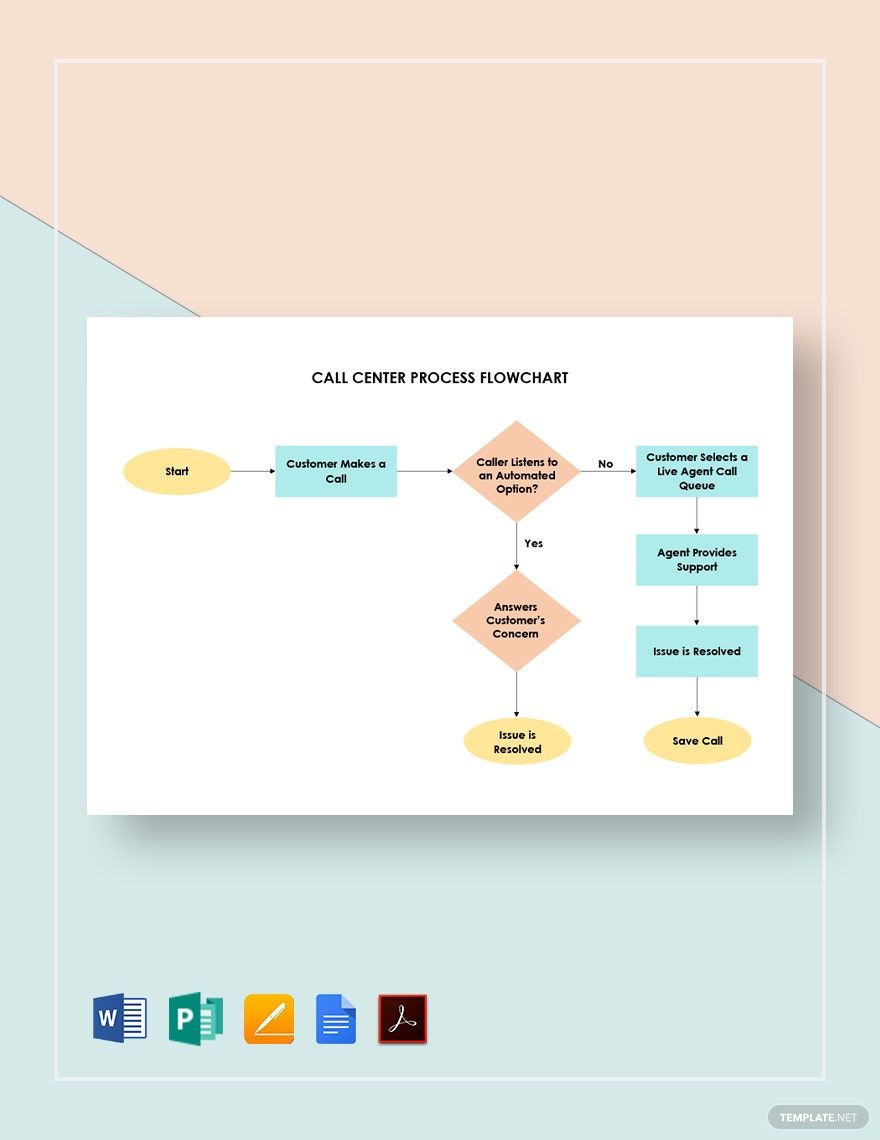
If You Are Tired Of Explaining the Process Flow of Taking Inbound and Outbound Customer Service Calls, Then We Suggest That You Get Template.net's Free Call Center Flowchart Templates In Publisher. We Have Different Basic Workflow Process Designs That You Can Install In Your Computer To Send As an E-Mail Or Post In Your Restaurant's Customer Help Desk Office's Walls.

  • My Projects
  • Resumes
  • Business cards
  • Id card
  • Newspaper
  • Magazines
  • Posters
  • Tri fold brochures
  • Menu
  • Sample magazine
  • Editable id cards
  • Wedding Invitations
  • Birthday Invitations
  • Catalogs
  • Photo collage
  • Greeting cards
  • Basic certificates
  • Tickets
  • Halloween flyer
  • Programs
  • Mothers day
License
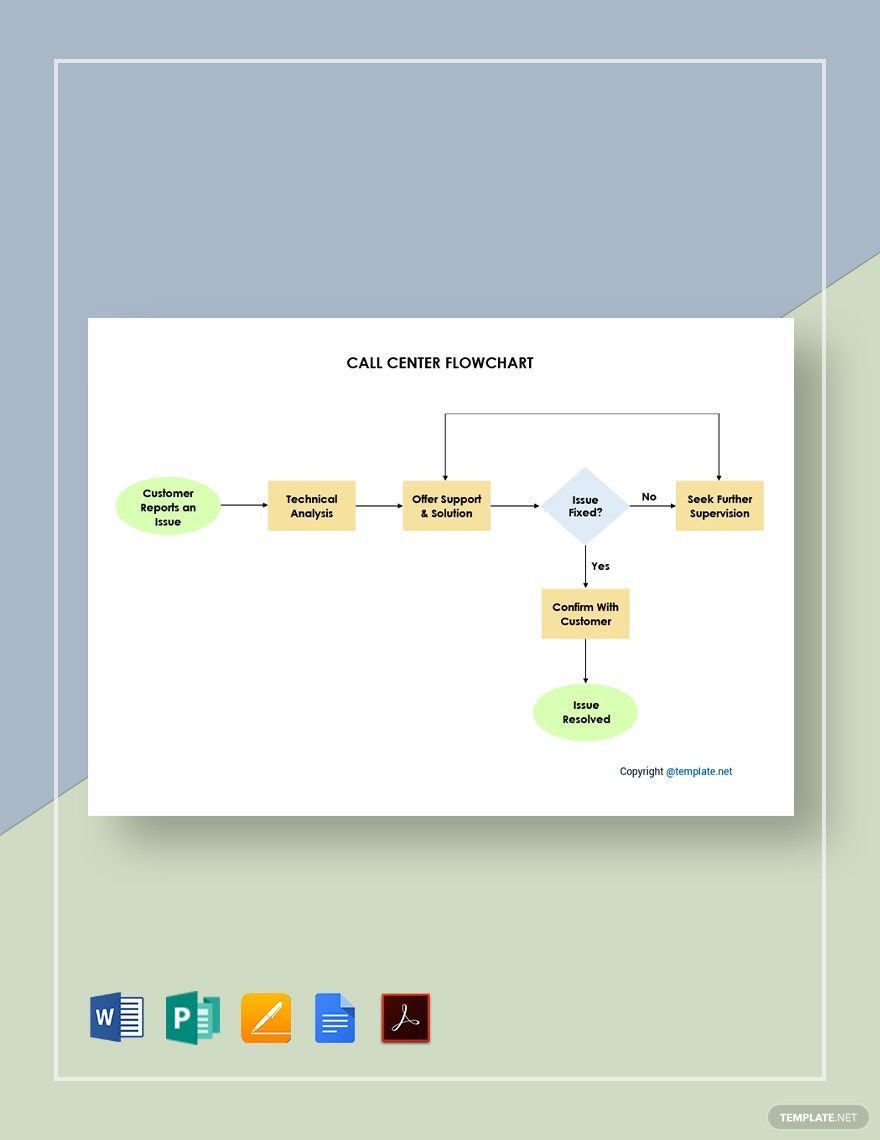
Sample Call Center Flowchart Template in Publisher, PDF, Pages, Word, Google Docs - Download | Template.net

Sample Call Center Flowchart Template

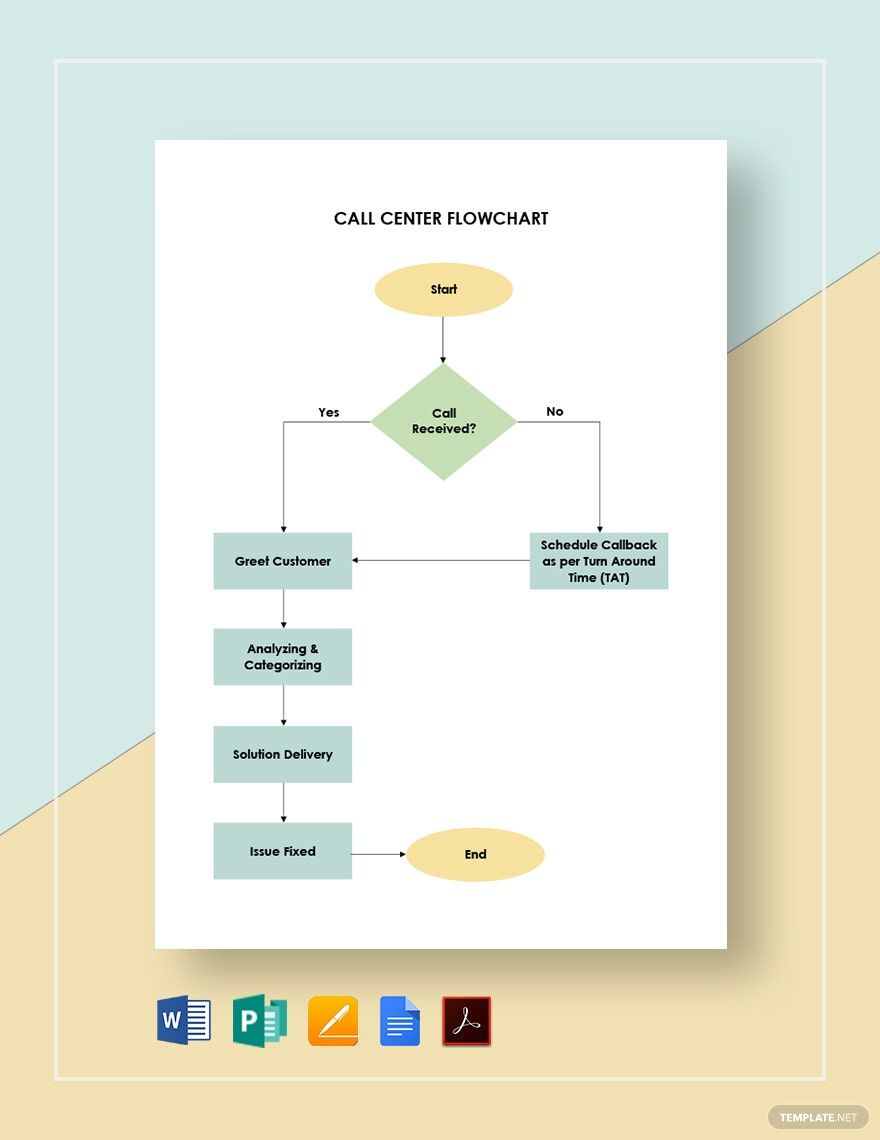
Call Center Flowchart Template in Google Docs, Pages, Word, Publisher, PDF - Download | Template.net

Call Center Flowchart Template

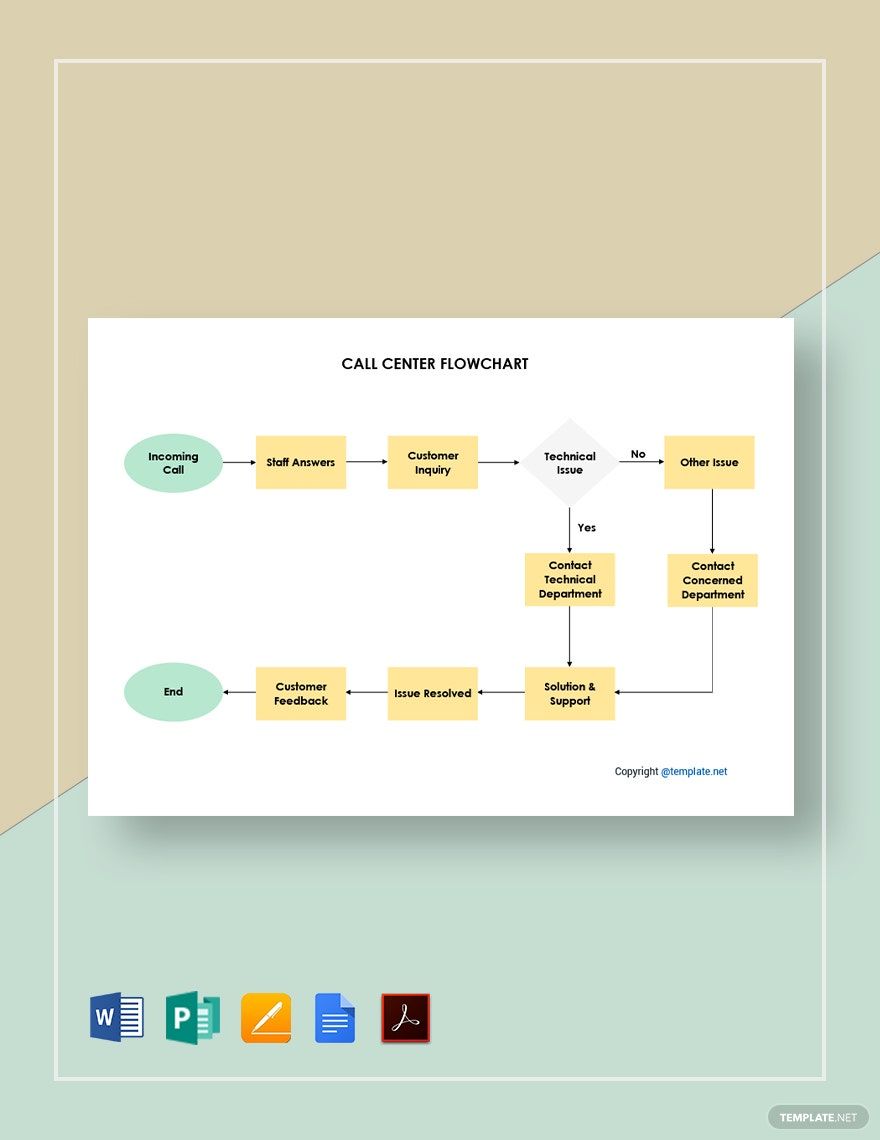
Editable Call Center Flowchart Template in Google Docs, PDF, Word, Publisher, Pages - Download | Template.net

Editable Call Center Flowchart Template

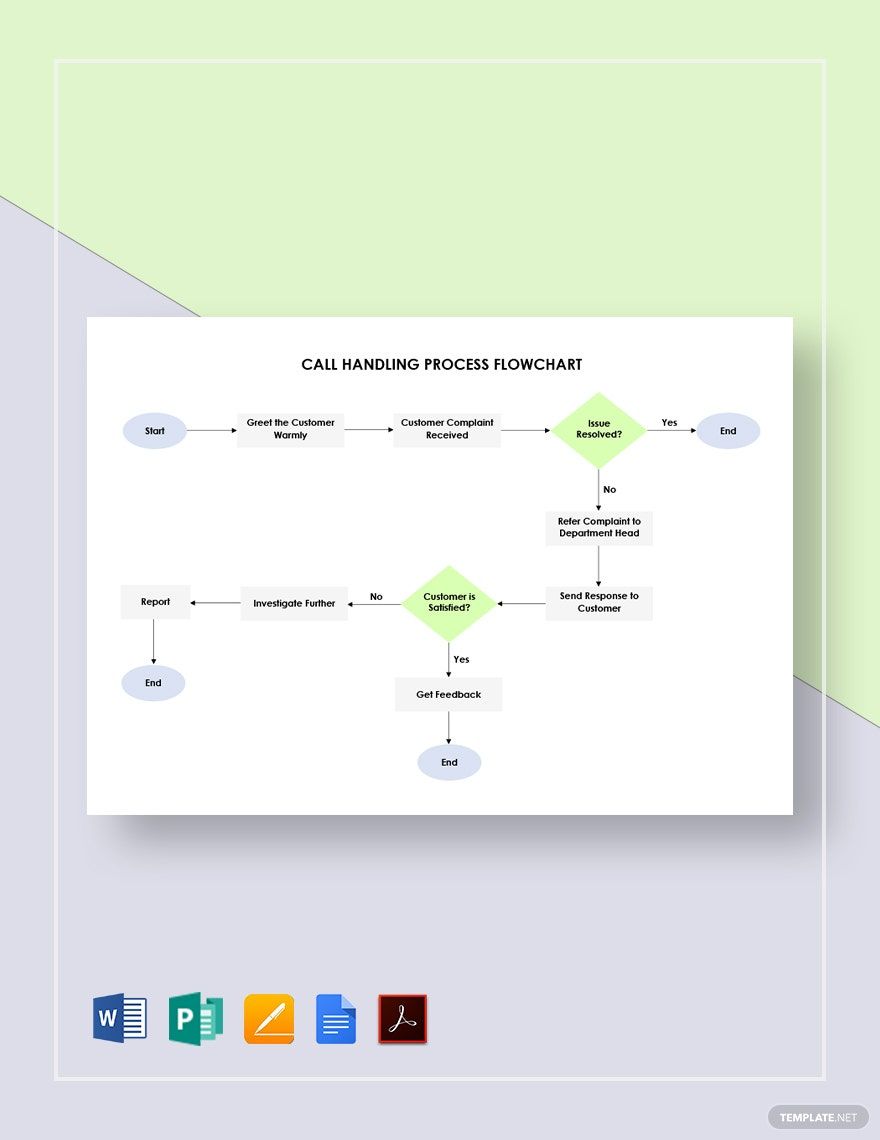
Call Handling Process Flowchart Template in Google Docs, Word, PDF, Pages, Publisher - Download | Template.net

Call Handling Process Flowchart Template

Call Center Process Flowchart Template in Google Docs, PDF, Publisher, Word, Pages - Download | Template.net

Call Center Process Flowchart Template

  • Kitty party invitation
  • Banner
  • Graduation brochure
  • Mothers day card
  • Graduation Invitations
  • Place cards
  • Websites
  • Cookbook
  • Letterheads
  • Reports
  • Publisher
  • Certificates
  • Brochures
  • Invitations
  • Flyers
  • Funeral Brochures
  • Cards
  • Portfolio templates
  • Company Brochures
  • 4th of july
  • Travel Brochures
  • Infographics
  • Cinco de mayo day
  • Campaign
  • Bi fold brochures
  • Housewarming Invitations

Call centers have a lot of procedures that require tracking to detect concerns or issues during operating hours. But since there are so many procedures, they can not be tracked easily. One of the best solutions for this is to use a flowchart. This is an essential tool to simplify the procedures and make tracking it much easier. Here, we have a wide array of 100% customizable and easily editable Call Center Flowchart Templates in Microsoft Publisher that you can download. These high-quality templates are perfect for organizing call center processes for easier presentation. What are you waiting for? Download a template now!

How to Make Call Center Flowcharts in Publisher

If you were tasked by a call center company to design its flowchart, starting with a blank document is indeed difficult especially if its the first few times you've done it. As difficult as it seems, using a template can potentially make your flowcharts look more professional since these are already formatted according to the standards. Nevertheless, you shouldn't rely too much on what the template already has to offer, you need to make the flowchart your own. Here are steps on how you can make a unique, catchy, and informative Call Center Flowchart.

1. Identify the Details Being Asked

The first thing that should come to mind when being asked to create a flowchart is to know what details are being asked for it. Another thing to consider is the audience, is your flowchart for the administrative department only or for the general public to see? These questions serve as your foundations since these will guide you in creating the procedures or workflows which are essential to your flowchart.

2. Enumerate the Processes and Procedures Involved

Now that you know what your flowchart is, what details to include, and to whom it is intended for, list down the call center and customer service procedures including the minor processes if possible. Make sure that these are direct and thorough since they serve as the meat of your flowchart. List them down and make sure to organize them in chronological order.

3. Start Designing the Flowchart in Microsoft Publisher

Considering you have all the essential details ready, you can start using Microsoft Publisher to create your call center flowchart. Launch Publisher and open a new project to get started. Afterward, you will be presented with options as to whether you prefer to use a blank project or use an editable chart template. If you're ever going for the latter, don't shy away from using any of the templates that we have on this website.

4. Incorporate the Processes and Procedures to the Flowchart

In a previous step, you prepared a list of the processes and procedures that take place in your call center company. Here, you'll be asked to start adding those details to your flowchart. Shapes and spaces are provided where you can add your content, just make sure not to get too wordy since the spaces allotted are very limited. If you find it difficult to condense your content, it might help to use bullet points to force you to highlight the most important aspects only.

5. Tweak and Finalize Your Flowchart

Before you can publish or print your call center flowchart, you might still need to do some tweaking to the design especially the shapes that contain the text. And in between the shapes or text boxes, make sure that there is a good amount of white space to keep the layout neat and clear. For the content, don't forget to proofread it for errors. After you're done tweaking and proofreading your flowchart, go over it one last time to see if it is indeed ready to be presented.

AI Editors
  • AI Generators
  • Document Editor
  • Design Editor
  • Writing Assistant
  • Slide Maker
  • Whiteboard
  • Form Builder
  • Photo Editor
  • Social Editor
  • Graph Maker
Free AI
  • AI Logo Maker
  • AI Image Generator
  • AI Design Generator
  • AI Social Media Post Generator
  • AI Banner Maker
  • AI Document Generator
  • AI Writer
  • AI Form Generator
  • AI Presentation Generator
  • AI Whiteboard
  • AI Diagram
  • AI Photo Editor
  • AI Graph Maker
Free Tools
  • Qr Code Generator
  • AI Meme Generator
  • AI Headshot Generator
  • AI Color Wheel
  • AI Color Palette
  • Signature Generator
  • AI Avatar Maker
  • AI Background Remover
  • AI Paraphrasing Tool
  • AI Summarizer
  • AI Plagiarism Checker
  • AI Grammar Checker
  • AI Business Name Generator
Business Categories
  • Marketing
  • Sales
  • Advertising
  • HR
  • Finance
  • Construction
  • IT
  • Non Profit
  • Education
Applications
  • Word
  • Excel
  • PPT
  • Publisher
  • Outlook
  • Google Docs
  • Google Sheets
  • Google Slides
  • PDF
  • Apple Pages
  • Apple Numbers
  • Apple Keynote
  • PSD
  • Illustrator
  • Indesign
  • Free Templates
  • Popular
Company
  • About Us
  • Community
  • Pricing
  • Contact Us
  • Privacy Policy
  • Terms of Service
  • Refund Policy
  • Disclaimer
  • Careers
  • Blog
  • FAQ

Template.net © 2014 - 2026. All rights reserved

Instant Download

Get Instant Access to 20,000+ MS Publisher Templates

Limited Time Offer
  • Access to 1 Million+ Templates & Tools
  • 500,000+ Microsoft 365 Templates including Excel, Powerpoint, Publisher, Outlook & PDF
  • Unlimited access to Design & Documents AI editors
  • Professionally Made Content and Beautifully Designed
  • Instant Download & 100% Customizable
  • Home
  • Document
  • Design
  • Presentation
  • Image
  • Video
  • Templates
  • Brand
  • Projects
  • Whiteboard
  • Social
  • Chart
  • Form
  • PDF
  • AI Chat
  • Schedule

Templates

  • All
  • Word
  • Excel
  • Powerpoint
  • Google Docs
  • Google Sheets
  • Google Slides
  • PDF
  • PSD
  • Illustrator
  • Apple Pages
  • Apple Numbers
  • Apple Keynote
  • Publisher
  • InDesign
  • Logo
  • Sign in Sheet
  • Worksheet
  • Budget
  • Resume
  • Cover Letter
  • Invoice
  • Presentation
  • Recommendation Letter
  • Business Plan
  • Family Tree
  • Calendar
  • Letter
  • Business Card
  • Poster
  • Label
  • Lesson Plan
  • CV
  • Banner
  • Meme
  • Resignation Letter
  • Bill of Sale
  • Gift Certificate
  • Swot analysis
  • Press release
  • Roblex Tshirt
  • Timeline
  • Obituary
  • Youtube Banner
  • Receipt
  • Birth Plan
  • Instagram Post
  • Infographic
  • Lease Agreement
  • Itinerary
  • One Pager
  • Storyboard
  • Newspaper
  • Vision Board
  • Venn Diagram
  • To Do List
  • Menu
  • Flyer
  • Grocery List
  • Gantt Chart
  • Checklist
  • Proposal
  • Profit and Loss
  • Planner
  • Schedule
  • Meeting Minutes
  • Cornell Notes
  • Agenda
  • Tier List
  • Job Applications
  • ATS Resume
  • Smart Goals
  • Email Signature
  • Purchase Order
  • Comic Strip
  • Sop
  • Project Plan
  • Fax
  • Graphic Organizer
  • Executive Summary
  • Faq
  • Table of Content
  • Job Description
  • Timesheet
  • Brochure
  • Memo
  • Envelope
  • Ticket
  • T-shirt
  • Concept Map
  • Social Media Calendar
  • Coupon
  • Birthday
  • Org Chart
  • Flow Chart
  • Recipe
  • Magazine
  • Workbook
  • Catalog
  • Roadmap
  • Note
  • Report
  • Journal
  • ID
  • E Book
  • Invitation
  • Meal Planning
  • Company Profile
  • Quotation
  • Estimate
  • Persona
  • Funeral
  • Fishbone
  • Pitch deck
  • Postcard
  • APA Format
  • Order Form
  • Drawing
  • Clipart
  • Coloring
  • Chart
  • Background
  • Wallpaper
  • Letterhead
  • Mindmap
  • Cover Page
  • Sign in
  • Upgrade

    Templates